Native macOS menu bar · Open source · Free
Track your AI-coding token burn. Privately.
Claude Code and OpenAI Codex burn real tokens and real dollars — you just can’t see how much. Burnbar puts the number in your menu bar, read straight from the local CLI logs on your Mac. Never your browser, never your Keychain, never your code.
macOS 14+ · View all releases
Most trackers spy to count
There’s an easy way to see your AI usage, and a right way. The easy way reads your browser cookies and digs through your Keychain. Burnbar refuses to.
No browser snooping
Trackers like CodexBar read your browser cookies and dig through your Keychain just to fetch your numbers. Burnbar never touches either — it reads only the local CLI logs Claude Code and Codex already write to ~/.claude and ~/.codex.
Your data stays on your Mac
No account, no analytics, no server quietly collecting your usage. Everything is computed locally. The only thing that ever leaves is a tiny daily summary — and only if you choose to join the leaderboard.
One number, zero clutter
A native macOS app — not an Electron tab, not a dashboard you have to babysit. It shows your burn in the menu bar and gets out of the way. Open it and you’re done.
Burnbar vs. browser-based trackers
Same glanceable menu-bar number. A completely different deal with your privacy.
| Capability | Burnbar | Browser-based trackers |
|---|---|---|
| Reads only local CLI logs | Yes | No |
| Leaves your browser cookies alone | Yes | No |
| Never touches your Keychain | Yes | No |
| Your usage never leaves your Mac * | Yes | Not applicable |
| Native, single-purpose menu-bar app | Yes | Yes |
* Your usage never leaves your Mac apart from the optional daily leaderboard summary, which uploads only if you opt in.
How it works
Reads local logs
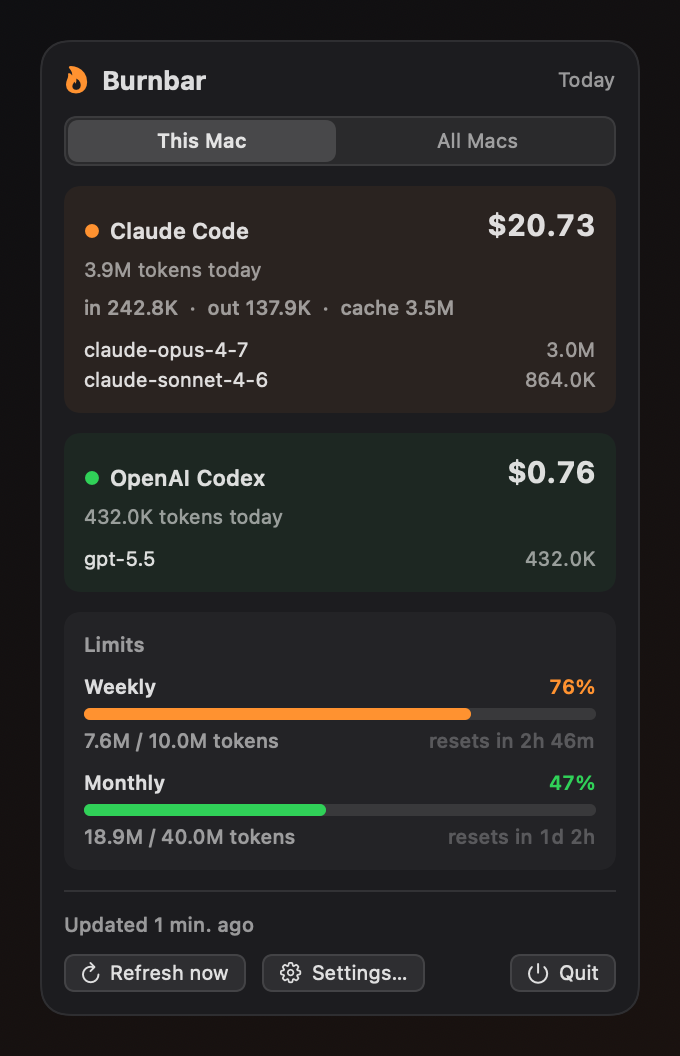
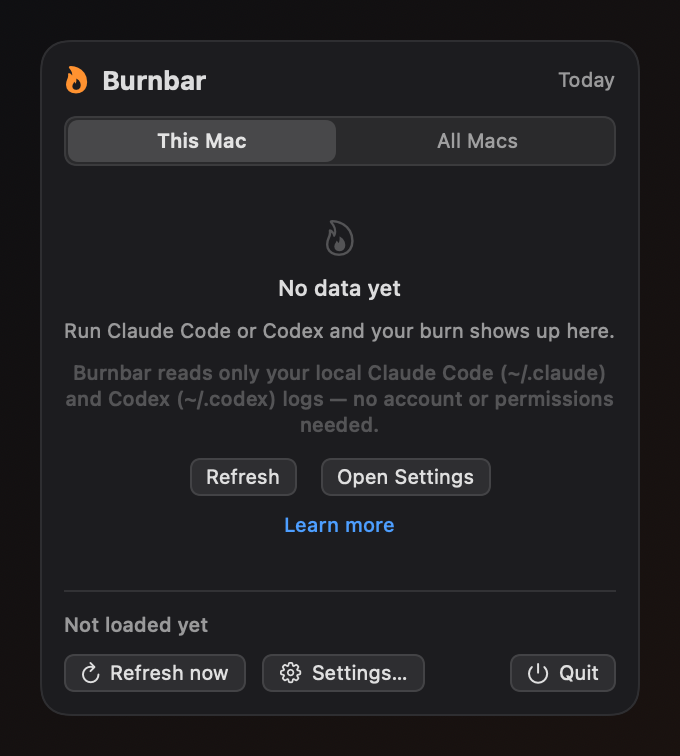
Burnbar parses the usage logs Claude Code and OpenAI Codex already write to ~/.claude and ~/.codex. Token counts, models, and timestamps only — never your prompts or code.
Syncs across devices
Per-machine rollups sync privately through your own iCloud Drive, so usage from every Mac you code on adds up in one place. Nothing touches a Burnbar server.
Opt-in leaderboard
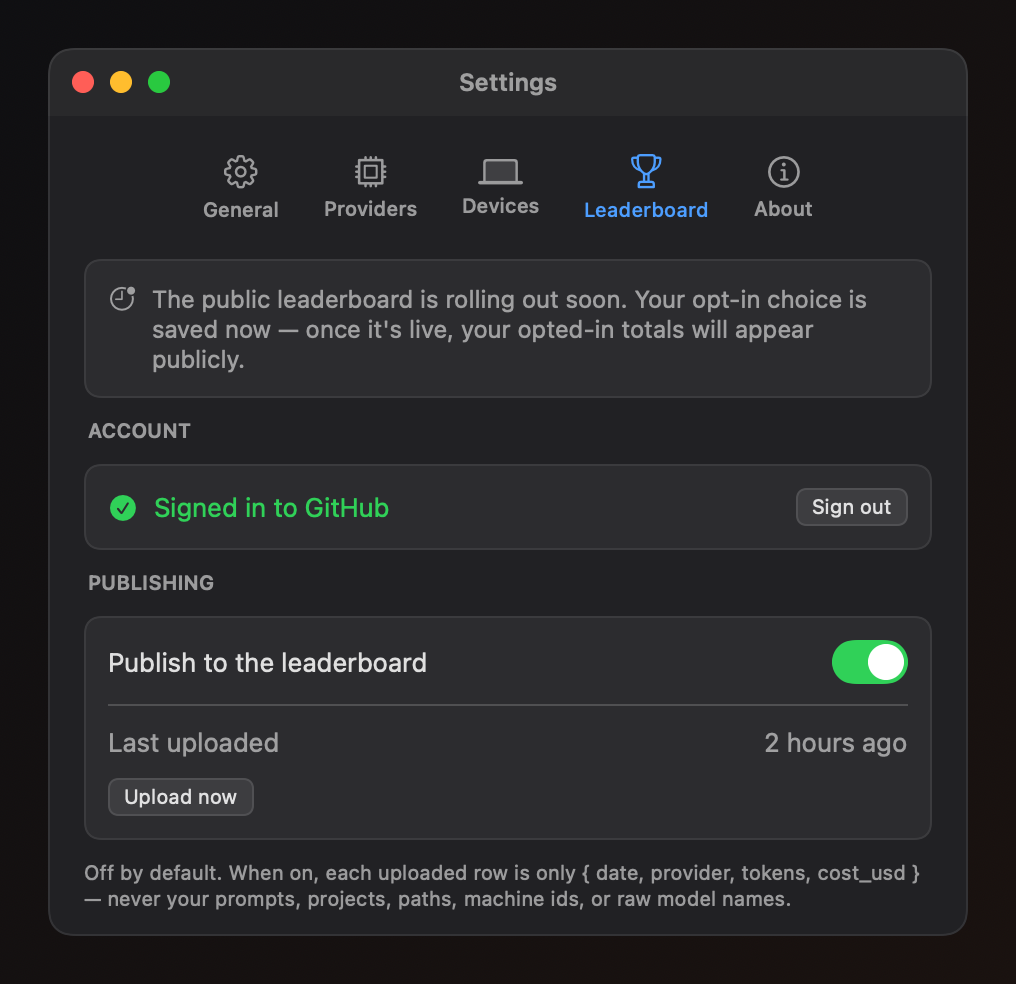
Choose to share, and Burnbar uploads a tiny daily summary to climb the global leaderboard. Off by default, and you decide every time. The public leaderboard is rolling out soon — opt in now and you'll appear once it's live.
See Burnbar in action
A native menu-bar app — here’s exactly what shows up on your Mac.

The privacy promise
Privacy is the whole point. Burnbar measures your usage without ever seeing what you build.
- Local CLI logs only
- Burnbar reads only Claude Code and OpenAI Codex logs under ~/.claude and ~/.codex on your machine.
- Never your browser or Keychain
- No browser cookies, local storage, or third-party Keychain items. Burnbar touches only its own credentials.
- Never your content
- Prompts, code, project names, file paths, and git details are never read for upload — only counts, models, and dates.
- Minimal opt-in upload
- If you join the leaderboard, each uploaded row is only { date, provider, tokens, cost_usd } — no prompts, paths, project names, machine ids, or raw model names. Rows are tied to your public GitHub identity (github_id, github_login), read from your sign-in, so they can appear on the public leaderboard.
Installing Burnbar
Requires macOS 14 (Sonoma) or later. Burnbar lives in your menu bar — there is no Dock icon, so after launch look for it up top, next to the clock.
Download Burnbar
Grab the latest macOS build using the Download button above.
Move it to Applications
Unzip the download and move Burnbar.app into the Applications folder.
Open it the first time
Right-click (or Control-click) Burnbar.app in Applications and choose Open, then confirm in the dialog. This one-time step is needed because this build isn’t notarized by Apple yet — after that, launch it normally.
- Version
- 0.1.0 · released May 30, 2026
- Download size
- 2.3 MB · Burnbar-v0.1.0.zip
- SHA-256 checksum
063176020699b94b4bd3b490e6e48c6141eb64ea05c87902d94ffbc9e37c7cae- Signing
- Ad-hoc signed — notarization in progress. Right-click → Open on first launch.
- Verify the source
- Release notesView source on GitHub
See where your tokens go
Free and open source. See where your tokens go — without giving up your privacy.
Download for macOS (0.1.0)View all releases